

Overview
You only need this if you want internet when the usual service is down. It isn't a must for most families.
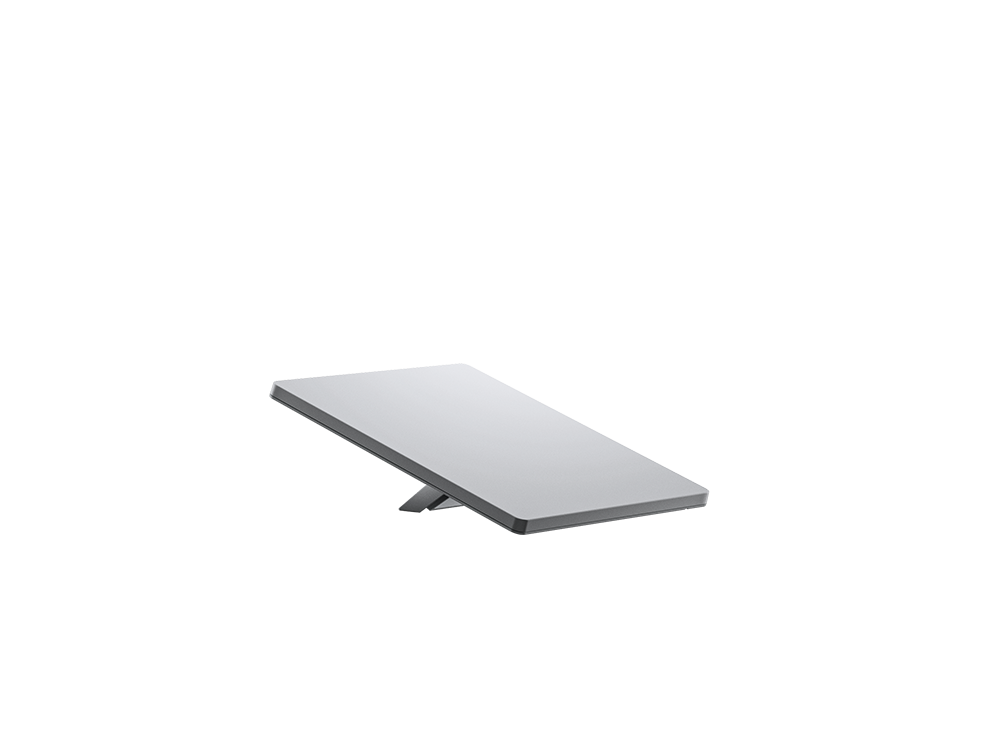
Starlink Mini supplies an internet connection through a portable satellite antenna with an integrated Wi-Fi router. It can serve phones and laptops when a local cable, fibre or cellular connection is unavailable. It isn't offline hosting: you are replacing one internet path with another and still depend on Starlink's service and infrastructure.
The Mini specification sheet lists a 1.10 kg antenna, average consumption of 25–40 W and a 12–48 V, 60 W input rating. Those are different measurements, not a recommendation to buy any 40 W charger. Its documented USB-C accessory requires USB Power Delivery of at least 100 W at 20 V/5 A. Account for the correct cable, power conversion and your connected devices when planning battery use.
The Canadian Roam page currently distinguishes metered high-speed tiers and an Unlimited tier, with plan-specific travel and use conditions. Plans, promotions, hardware offers and Standby Mode terms change. Review your address, country coverage and intended use at checkout; don't assume pausing gives free full-speed emergency service or immediate reactivation in every circumstance.
Kit and field photos



What stands out
- Shared internet rather than just one device's text messages; useful for email, current information and compatible communication apps.
- Compact antenna and built-in Wi-Fi simplify a portable setup compared with a separate full-size dish/router arrangement.
- A separately powered connection can add resilience when the household's usual internet path fails.
The trade-offs
- Needs much more energy and setup space than a handheld satellite messenger.
- Trees, buildings and other sky obstructions can interrupt service; a porch or indoor windowsill may not work.
- Hardware, recurring service and provider availability remain dependencies. It isn't a dedicated monitored SOS device or a guaranteed emergency-calling service.
Hardware and service
Compare current Canadian kits and service at checkout; hardware and service charges are separate and offers vary.
View Starlink Canada optionsSetup and preparation
Match hardware and Canadian service
Use the Canadian Roam link, confirm that the selected kit is Mini and read the current service terms. Verify high-speed data, reduced-speed behavior, travel restrictions, billing and Standby Mode. Do this before an outage; don't build the whole plan around buying or reactivating service while disconnected.
Survey a safe deployment spot
Install the official Starlink app and follow its obstruction-check and installation workflow. Choose a stable permitted location with the required open view of the sky. Route cables away from walkways and protect connections as specified; don't climb a roof, improvise an unsafe mount or deploy in a dangerous location during severe weather.
Use the correct power equipment
Start with the supplied power system or the official compatible accessory. Check voltage, connector and output requirements against the Mini sheet. A USB-C connector doesn't prove 100 W PD capability. Weather ratings depend on properly installed cables and plugs, and the supply's requirements differ from the antenna's.
Connect and test useful tasks
Finish activation and updates while the normal internet still works. Set a strong Wi-Fi password. Connect a phone and laptop to Mini, disable mobile data and send a message to someone expecting the test. Verify email, official information pages and any intended calling app separately; one web page loading doesn't prove every service is available.
Rehearse battery-backed operation
Unplug the household internet path for a coordinated drill and run Mini from the intended battery safely. Measure energy over a realistic session with the exact cables and conditions. Include device charging in the budget, reserve power for important communication and avoid video streaming if data or energy is constrained.
Keep an independent communication fallback
Retain paper contacts, a meeting plan, a battery radio and a tested means of messaging if Starlink or the battery fails. A handheld satellite communicator serves a different role. Verify emergency-contact methods in advance; internet calling isn't automatically equivalent to cellular 911.
Check it works
- The Canadian plan is suitable and service is active before it is needed.
- The chosen location passes the obstruction check and remains safe for deployment.
- A real message and reply work with household internet disconnected and client cellular data off.
- Power output and measured battery runtime are checked with the intended kit and cables.
- A fallback plan remains usable if Starlink has no service or runs out of power.
Things to watch for
Starlink is another live internet connection, not a fully offline system or a monitored SOS communicator.
Quoted speeds and uninterrupted service aren't guaranteed; plan availability and travel permissions vary.
Don't treat the antenna's weather rating as permission to expose every power connection. Follow the current installation instructions and electrical safety guidance.