

Overview
You only need something like this if you're often out of cell range. For most families, a check-in plan comes first.
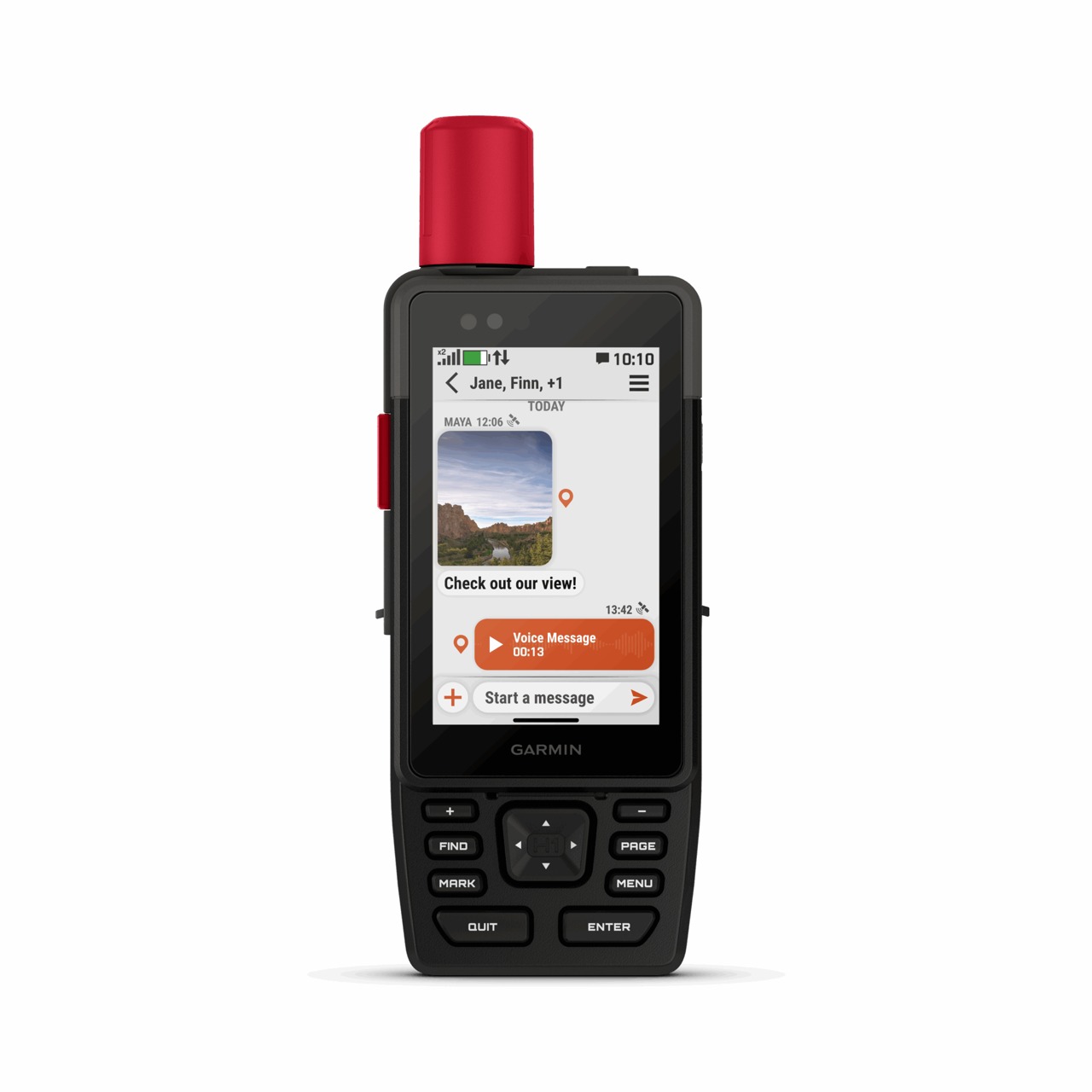
The Garmin Canada link is the GPSMAP H1i Plus, not the non-communicating H1. It combines on-device navigation with inReach Plus satellite communication. Garmin documents text, photo and voice messages from the device, as well as interactive SOS coordination through Garmin Response. Voice messages are recordings, not a promise of live satellite phone calls.
This is a different job from Starlink: it is for check-ins, location and emergency communication when cellular coverage is absent, rather than shared broadband internet. Garmin specifies a 3.5-inch touchscreen plus physical controls, preloaded TopoActive maps and downloadable satellite imagery. Download required map content and finish updates before travel.
Garmin's advertised battery life is up to 145 hours under its specified GPS conditions, not a guaranteed trip duration with frequent messages, bright display use, cold weather or other settings. Navigation and satellite communications have different dependencies: the manual explicitly requires an active subscription for satellite messaging, SOS and inReach weather. Confirm the current Canadian device price, plan allowances and activation terms at Garmin rather than relying on an old price here.
What stands out
- Maps and communication in one standalone handheld, reducing dependence on a working phone for core tasks.
- Physical buttons complement the touchscreen for gloves and poor weather.
- Two-way messaging can communicate location and context, instead of relying only on a one-way distress alert.
The trade-offs
- A substantial purchase plus continuing satellite-plan costs; message allowances and overages need checking.
- Bigger and more involved than a simple messenger if you only need occasional check-ins.
- Satellite delivery needs suitable sky visibility and can be delayed. A rugged device isn't a guarantee of rescue or communications in every setting.
Hardware and service
Check the hardware price and compatible satellite plan separately; no affiliate tracking is added.
View at Garmin CanadaSetup and preparation
Check the exact model and plan
Use the linked Canadian product page to confirm H1i Plus, included maps and current terms. Choose a compatible active inReach plan based on the actual communication you need. Verify text, photo and voice allowances separately; buying the device alone doesn't activate satellite SOS.
Activate and prepare while connected
Follow Garmin's setup workflow, update the device and finish subscription activation before leaving coverage. Save emergency contacts and an agreed check-in message. Install any required Garmin apps and download the map regions you will use, keeping paper navigation as a fallback.
Test outdoors without the phone connection
Follow the manual's satellite test procedure in a safe open-sky location. For a normal check-in test, disconnect the phone link so the message isn't silently travelling via phone internet. Send to a contact expecting the test and confirm a reply. Don't trigger a real SOS as a practice drill.
Rehearse loss of contact
Agree when a missed check-in warrants action, who calls whom and what location/route information they will have. A missed message alone doesn't establish an emergency. Carry and test charging equipment and teach a second person how to find the protected SOS control and use the manual's emergency procedure.
Check it works
- The correct device and satellite subscription are activated before travel.
- A normal satellite message and reply succeed outdoors with the phone link disconnected.
- Required maps, contacts and the written missed-check-in plan are available without cellular data.
- Charging and actual battery use have been checked in the intended configuration.
Things to watch for
Don't confuse recorded voice messages with live calling or broadband internet.
The satellite messaging, SOS and weather features require an active satellite subscription. Use the official manual for SOS procedures; never send a real SOS for practice.
Messages, location, rescue availability and battery life aren't guaranteed. Terrain, sky obstruction and conditions matter.